

Give the export a contract before escaping its cells
CSV quoting makes a file parse into the intended fields. It does not tell a spreadsheet to treat every field as literal text. If a user-controlled value begins with a formula-like character, enclosing it in CSV quotes can preserve that value while leaving its interpretation to the application that opens it.
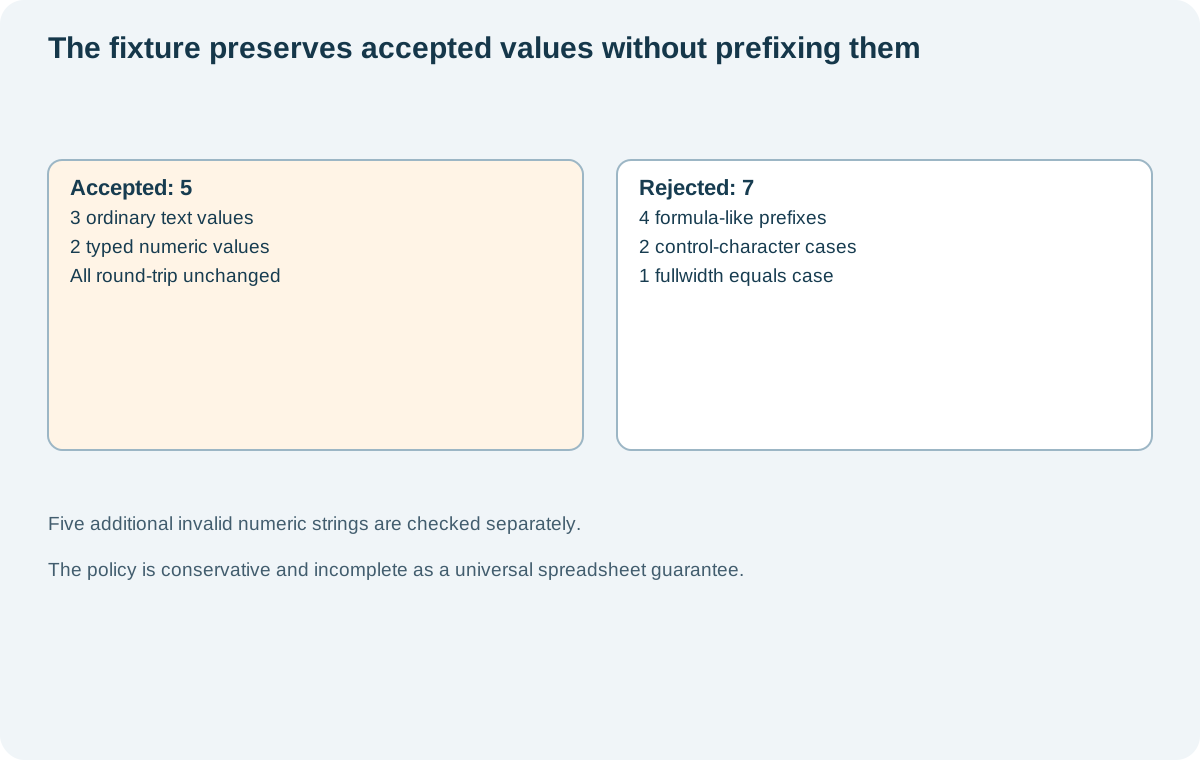
This lesson implements a deliberately bounded policy: reject suspicious text values instead of modifying them, allow a narrow decimal grammar for typed numeric fields and preserve every accepted value through a CSV writer/reader round trip. The executable fixture accepts five of twelve harmless cases and rejects seven. It does not launch a spreadsheet or establish universal formula-injection protection.
Start by deciding who consumes the file. A human opening a download in a spreadsheet and an integration importing exact source values have different requirements. If arbitrary original text must survive a machine round trip, choose a documented data format and importer contract that can represent it without relying on a spreadsheet's inferred cell types.
Keep field boundaries and cell interpretation separate
A comma inside a value must remain inside one field. Quotes inside a value need the CSV dialect's escaping rules. Use a CSV library for those structural requirements. The example delegates them to Python's writer and verifies the result with its reader, following the Python csv module's documented interface.
The accepted value Paris, France remains one field. The accepted label containing quotation marks returns unchanged after parsing. Those checks establish structural preservation in this library pair. They say nothing about how Excel, Google Sheets or another consumer will infer a field's type.
OWASP's CSV injection guidance describes formula interpretation risks from leading characters and cautions that mitigations depend on the spreadsheet behavior. It also discusses cases where saving and reopening a file changes the protection a prefix was intended to provide. A successful parser round trip is therefore a different test from a spreadsheet safety test.
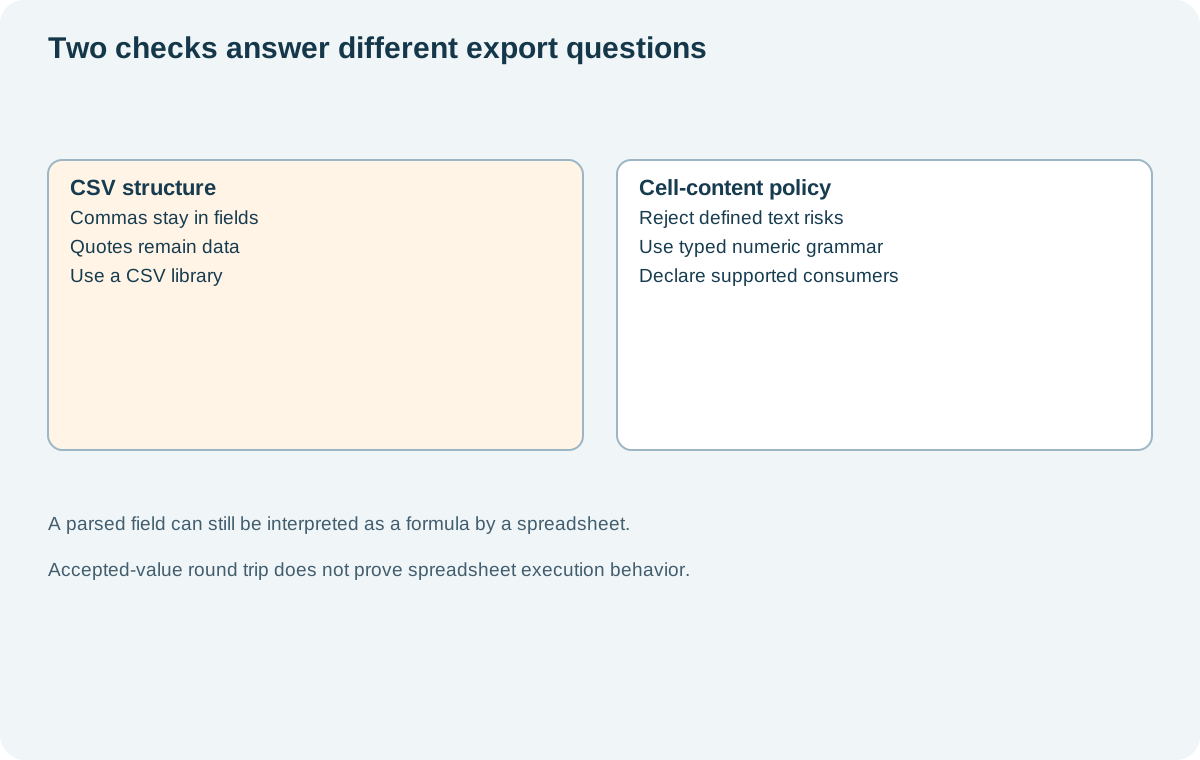
Never build rows by joining untrusted values with commas. A value containing a delimiter or newline can change where a downstream parser sees the next cell. Correct quoting closes that structural problem, while the cell-content policy addresses the accepted field values separately.
Reject the text this export contract cannot safely represent
The fixture rejects text containing Unicode control or format characters. For its leading-character check, it normalizes a probe with NFKC and removes leading whitespace. If the probe starts with =, +, - or @, the function rejects the original value. Normalization is used for detection only; accepted source text is returned unchanged.
probe = unicodedata.normalize("NFKC", value).lstrip()
if probe.startswith(("=", "+", "-", "@")):
    raise ValueError("formula-like leading character")
This intentionally conservative rule rejects some legitimate text, including labels beginning with a minus sign. That is a product tradeoff, not evidence that those labels are inherently malicious. The application must present a useful error or offer another export format instead of silently dropping the row.
The public fixtures use harmless expressions such as =1+1. They include a leading tab, a leading newline and a fullwidth equals sign so the detection boundary is visible. This set is not an exhaustive catalog of spreadsheet behaviors or Unicode interpretation. An actual target consumer needs its own versioned acceptance evidence.
If a product chooses to prefix or transform values instead, specify the transformation and its reversibility. An apostrophe may change what a user sees or what another importer receives. Do not promise lossless source preservation merely because one spreadsheet displayed the desired text in one opening of the file.
Treat a typed negative number differently from untrusted text
A blanket ban on every leading minus sign would reject an ordinary negative numeric value. The example instead gives numeric fields a strict decimal grammar: an optional minus, an integer part and an optional fractional part. It accepts -12.50 and 0 as numeric source strings, while rejecting expression syntax and special values.
The grammar does not accept scientific notation, thousands separators, NaN or Infinity. Those exclusions keep this contract small enough to inspect. They are not a universal recommendation for financial or scientific data. If a product needs other numeric representations, define and test them as typed input rather than passing arbitrary text through the numeric path.
| Fixture category | Outcome | What the check establishes |
|---|---|---|
| Ordinary text, comma and quoted label | Accepted unchanged | CSV writer/reader preserves three text values |
| Equals, plus, minus-expression and at-sign prefixes | Rejected | Four formula-like text probes fail the policy |
| Leading tab and newline | Rejected | Control-character policy applies |
| Fullwidth equals sign | Rejected | Normalized detection catches this fixture |
| Typed negative decimal and zero | Accepted unchanged | Two values match the numeric grammar |
Run python3 experiment.py to reproduce the case results. Five additional invalid numeric strings are checked separately. The output accepted-export.csv contains only the accepted fixture values, not the rejected formula-like inputs.
Test the application that will open the file
The local assertions establish twelve policy outcomes and a round trip through Python's CSV parser. They do not establish that a spreadsheet stores a decimal as the intended type, preserves leading zeros or refrains from changing a value after save and reopen. State those limits beside the result rather than calling the export generically safe.
For a real human-facing export, record the supported spreadsheet products, versions and import path. Test both opening the file directly and the documented import workflow if both are supported. Include the save/reopen path when the product expects users to edit and resubmit files. Reassess the policy when the consumer or export contract changes.
An account export also needs authorization and tenant-scoped selection before serialization. The account-closure export article covers that lifecycle boundary. Correct CSV generation cannot compensate for selecting another customer's rows, and formula detection does not prove the export is complete.
Choose the smallest honest promise the implementation can support. This fixture preserves accepted values and rejects a defined set of risky text patterns. A production export still needs a clear response for rejected data and direct evidence from its supported consumers.
Sources
Documentation checked .
Dreamtsoft Editorial
A successful CSV parser round trip answers the field-preservation question. The spreadsheet opening and save/reopen paths still need separate acceptance evidence.
Dreamtsoft Editorial
The rejected legitimate label is a useful product case. What should the person exporting their data receive when the policy cannot preserve a field under the promised format?
Dreamtsoft Editorial
Typed numeric input needs to stay distinct from untrusted text. Otherwise the exception for a negative decimal could become a path for arbitrary expressions.
Dreamtsoft Editorial
Using normalization only for detection preserves the distinction between inspecting a value and changing it. Accepted text should still match the original source in the round-trip check.
Dreamtsoft Editorial
Record the import workflow beside the supported spreadsheet version. Opening a file directly and importing it with explicit column types are different paths to verify.